March 26th, 2026
March Release
This release is packed with updates to make courses easier to navigate, compliance simpler to manage, and onboarding smoother for every type of learner.
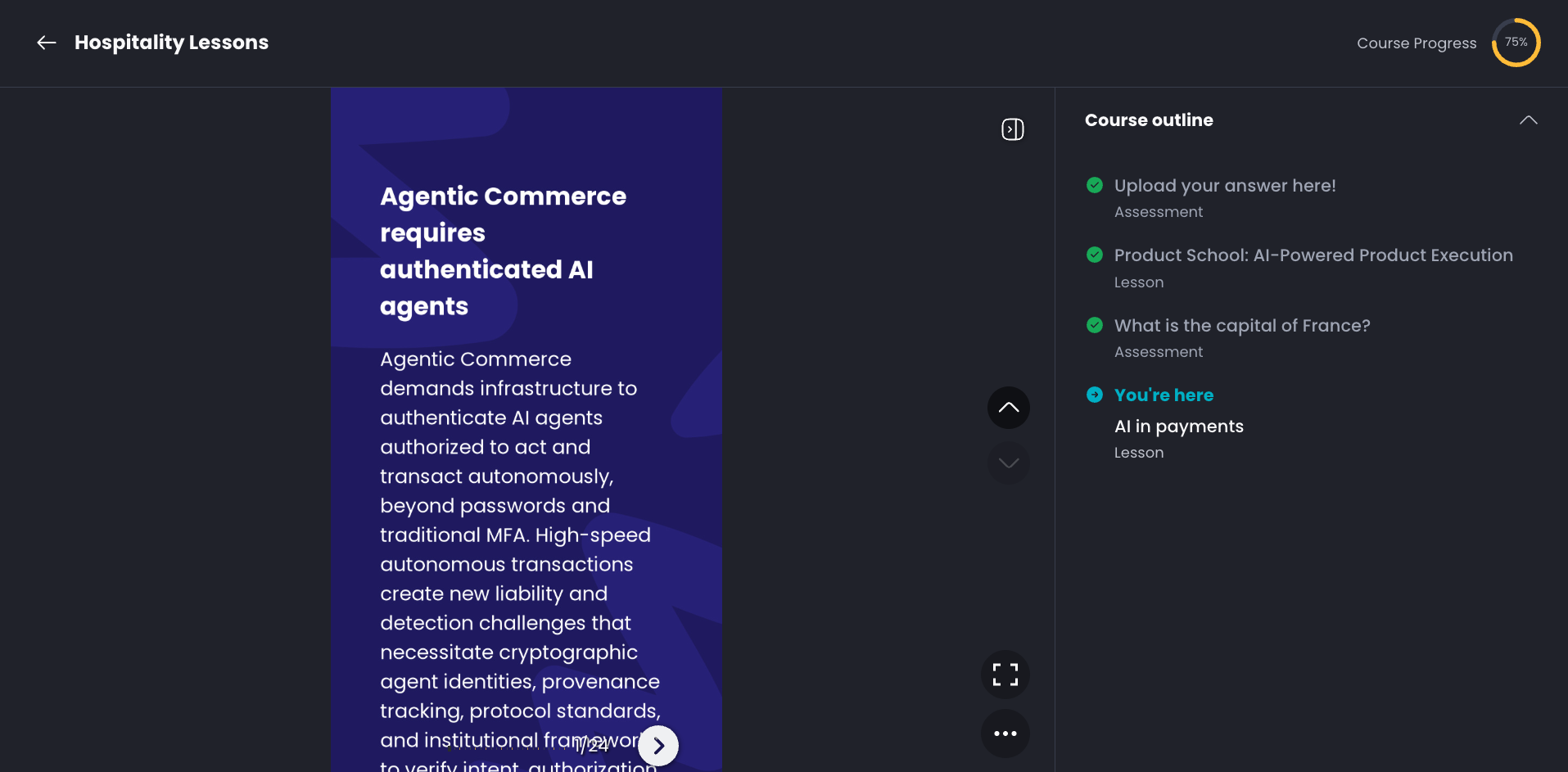
Course Outline
Learners can now see the full structure of a course in an expandable outline view. Completed items are clearly marked, and upcoming steps are clickable or locked depending on course settings. Available on both Web and Mobile App.
Document Lessons
Admins can now create lessons from PDFs, PowerPoint and Word, no manual conversion needed. Files are converted behind the scenes and work with AI quiz generation and tracking out of the box.
Compliance Course Flag & Filters
Courses can now be marked as Compliance. Learning Records includes a new filter so admins can quickly separate compliance training for audits and reporting.
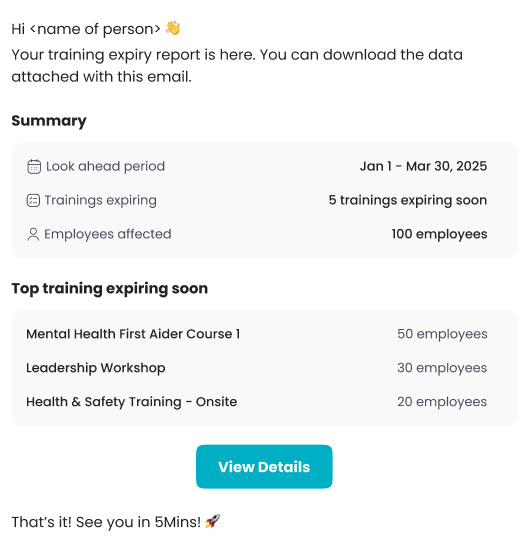
External Training Expiry Reports
Set up automated email reports for upcoming external-training expiries. Configure how far ahead to look and how often to send, and receive summary emails with CSV attachments.
Full-Screen Landscape PDFs on Mobile App (iOS and Android)
Landscape PDFs now open in a dedicated full-screen mode on mobile, making wide documents much easier to read.
Questions or feedback? Just hit reply — we'd love to hear from you. Alternatively, you can also visit feedback.5mins.ai to give us feedback.
Cheers,
The 5Mins Team